
Accessing the Advanced Chart View
To create a custom trading strategy for your options, you need to access the Advanced Chart View. Use the following link to get started: TradeVision Advanced Chart View
(Note: The ticker symbol is optional, and you can change it based on your preference.)
Navigating the Options Strike Panel
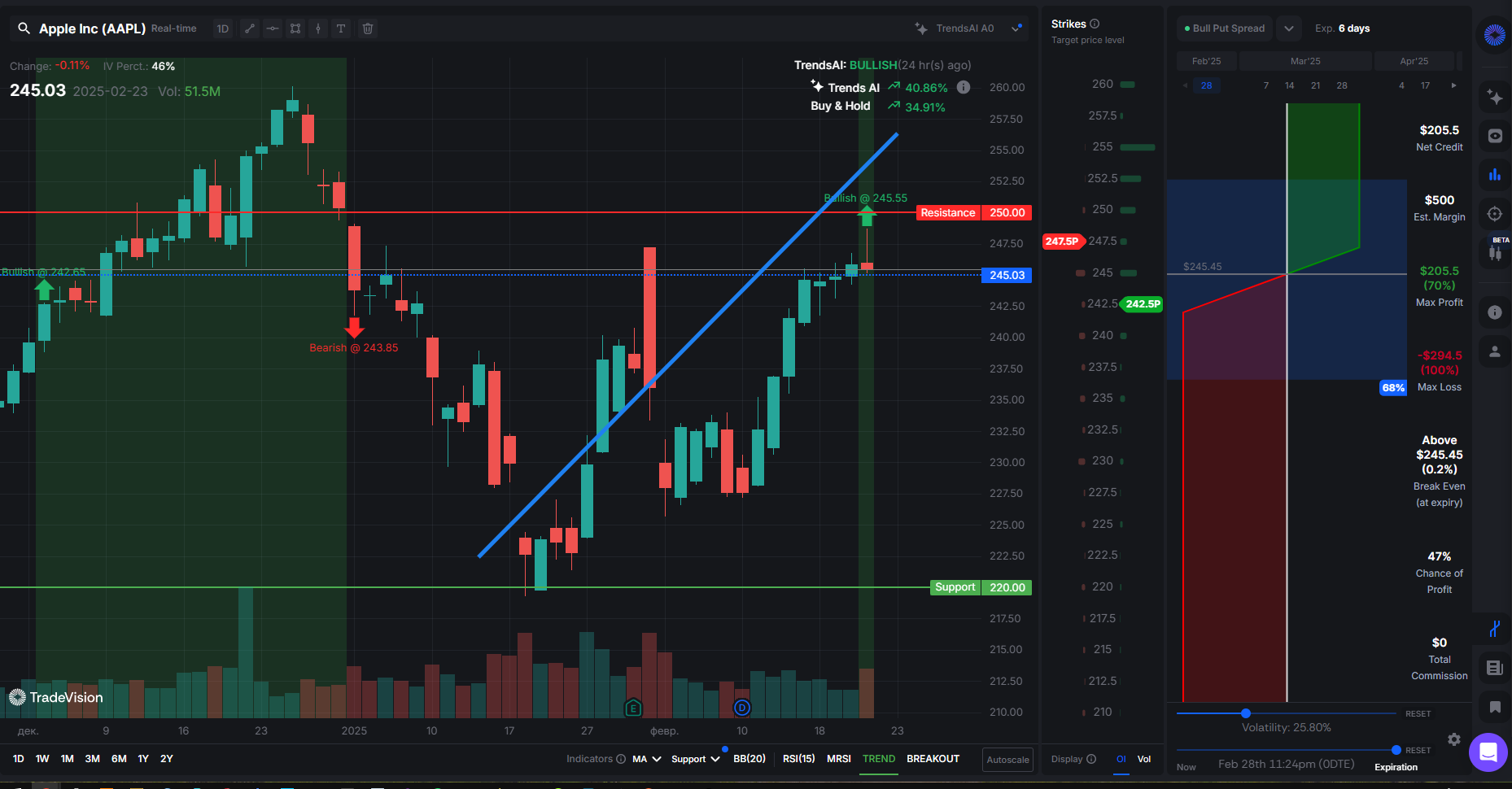
Once you are in the Advanced Chart View, locate the Options Strike Panel on the right sidebar. This panel provides the tools you need to adjust and customize your trading strategy.
Features of the Options Strike Panel:
- Leg Labels: Move them up and down to select the appropriate Strike Price for your trade position.
- Volume Bar Chart: Displays the trading volume for each strike price (left of the column).
- Open Interest Bar Chart: Shows the number of outstanding contracts for each strike price (right of the column).
Adding a New Leg to the Strategy
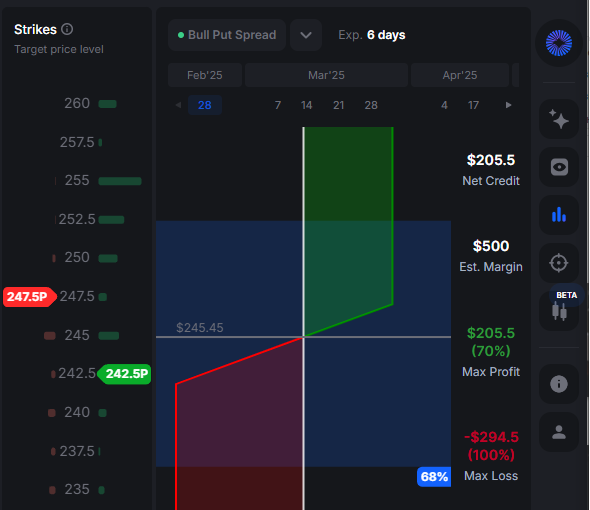
To create Custom Trading Strategy for Options, add a new leg to the Strike Panel:
- Windows: Right-click on the Strike Panel.
- Mac: Use Secondary Click (two-finger tap or right-click).
Each Leg Label consists of:
- Strike Price (e.g., 247.5)
- Action Color:
- Red: SELL
- Green: BUY
- Put/Call Mark:
- "P" for Put options
- "C" for Call options
Example: A label reading 247.5P means you are selling a Put option at $247.5.
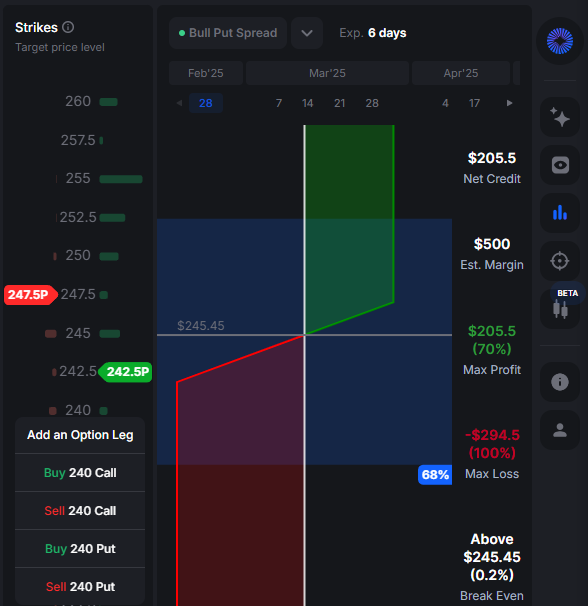
Note: after new leg addition, the Strategy Selector will change to “Custom”.
Adjusting Leg Parameters
You can set the number of Contracts and check the Greeks of trade by clicking Left Mouse Button on the Leg Label. You can also change the action of leg from BUY to SELL and from CALL to PUT:
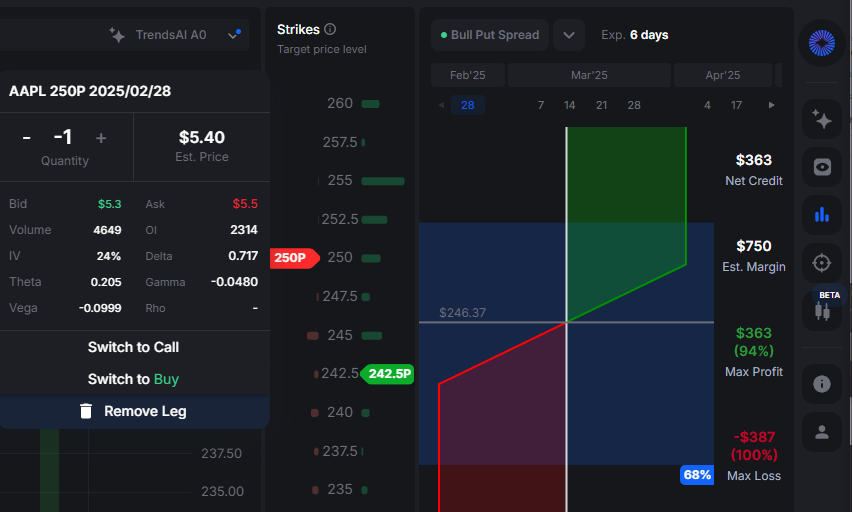
Available Leg Parameters:
- Bid and Ask Prices (highest and lowest price offering for stock)
- Volume (Number of contracts traded)
- Open Interest (Total outstanding contracts)
- IV% (Implied Volatility Percentage)
- Delta (Price sensitivity to the underlying asset)
- Theta (Time decay effect on the option's price)
- Gamma (Rate of change of Delta)
- Vega (Sensitivity to implied volatility changes)
- Rho (Sensitivity to interest rate changes)
Conclusion
By following this tutorial, you can set up and customize your options trading strategy using the Strike Panel in the Advanced Chart View. The flexibility to adjust strike prices, leg positions, and key parameters allows you to fine-tune your trades based on market conditions. Start experimenting with different configurations to develop a strategy that suits your trading style!


